To activate a redeem code:
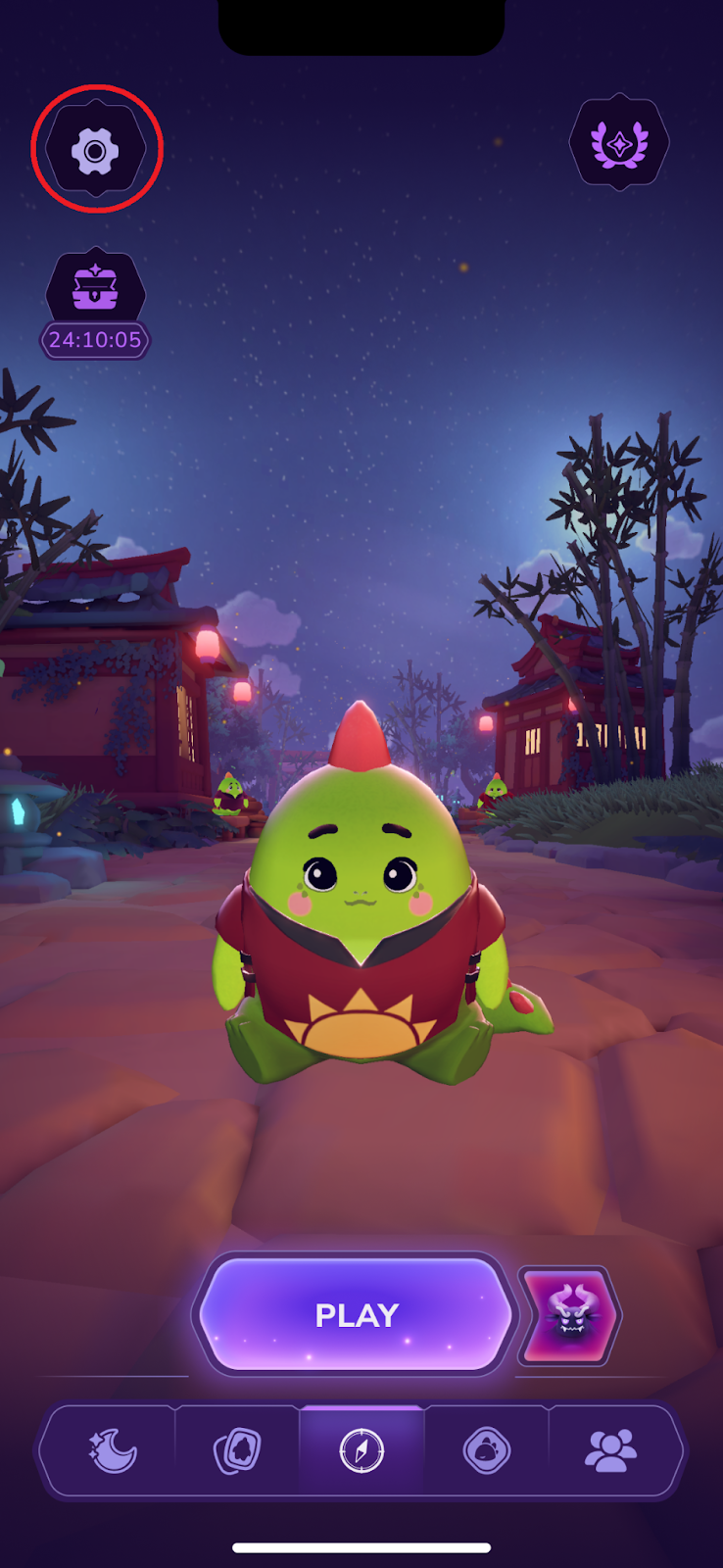
Open the app settings via the gear icon in the top left corner
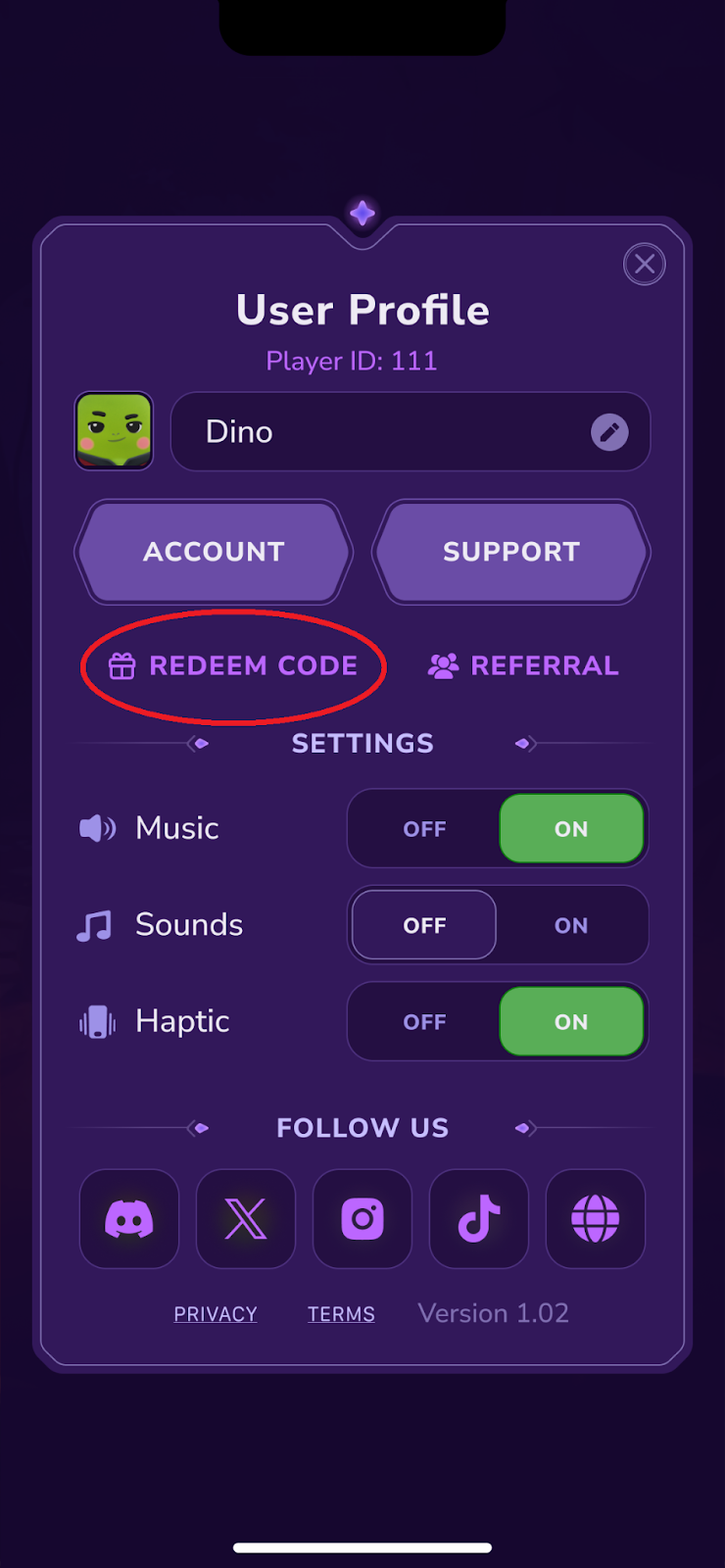
Tap on ‘Redeem Code’
Either paste the copied code (only on Android) or input it manually (register-sensitive)
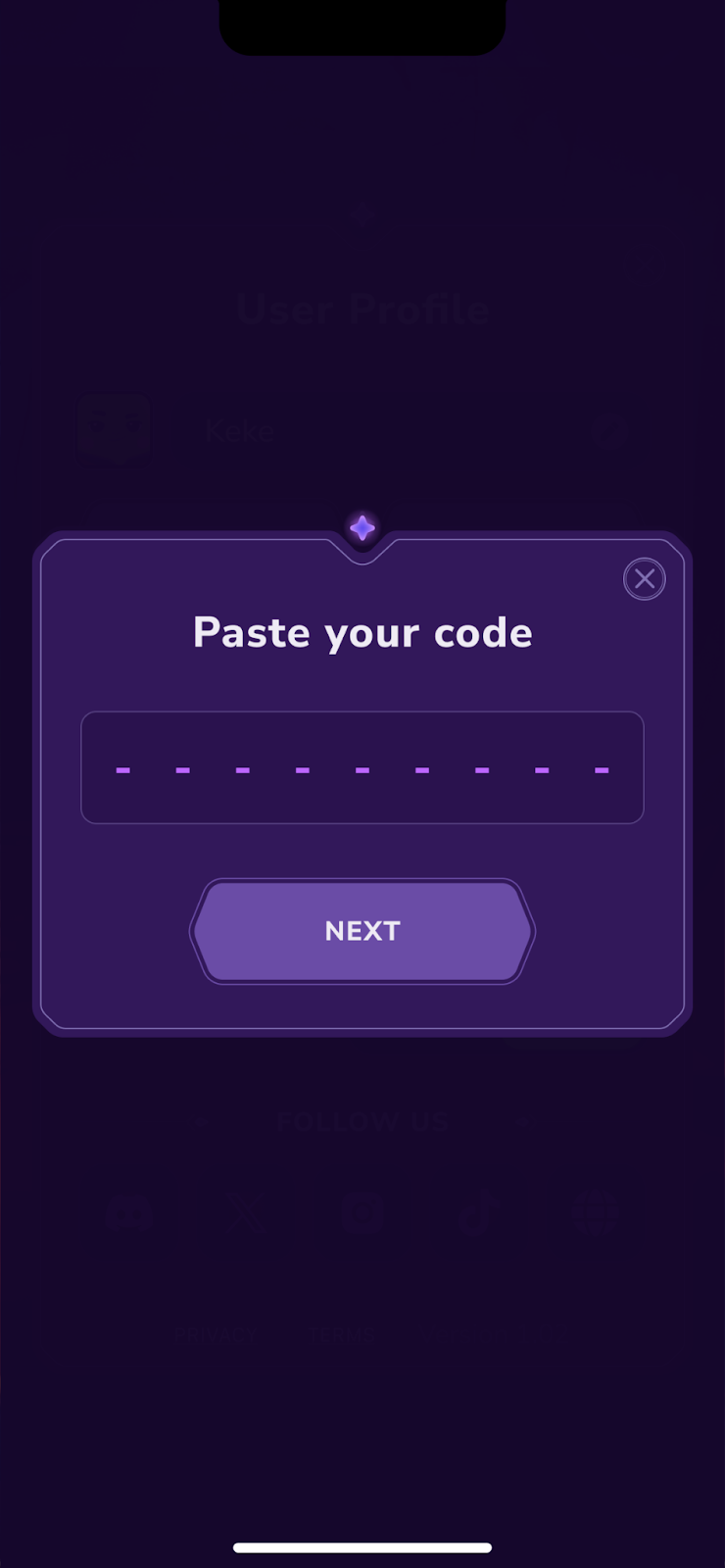
Press ‘Next’
Enjoy your goodies!
Each code can only be activated once by the same user. Redeem codes are time-limited so make sure you use the one that is still active.
If you don’t see the ‘Redeem Code’ option in your settings, don’t worry – we sometimes disable it temporarily when we undergo the app store review. Once the button is back on, you will be able to use the code.
Was this article helpful?
That’s Great!
Thank you for your feedback
Sorry! We couldn't be helpful
Thank you for your feedback
Feedback sent
We appreciate your effort and will try to fix the article