To add a referral, follow these steps:
Open referrals menu in the lower right corner
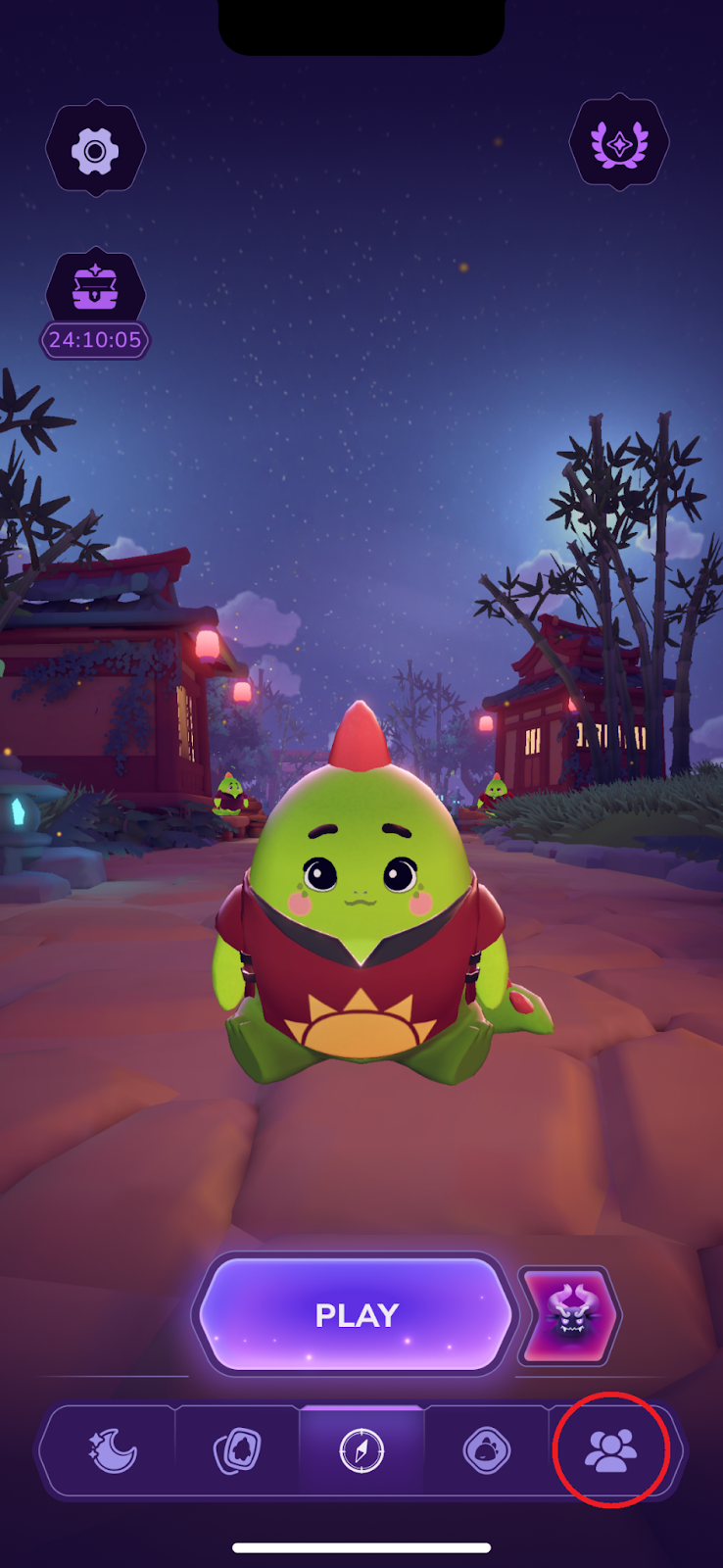
Tap on ‘Invite friends’

Now you can either copy the link and share it manually or use the ‘Send link’ option to send it directly to another app

Please note that a referral will only count if they never installed the Sleepagotchi app on their device before.
In case a referral wasn’t added to your list after following the instructions above, please provide them with your in-app ID and ask them to follow the instructions below:
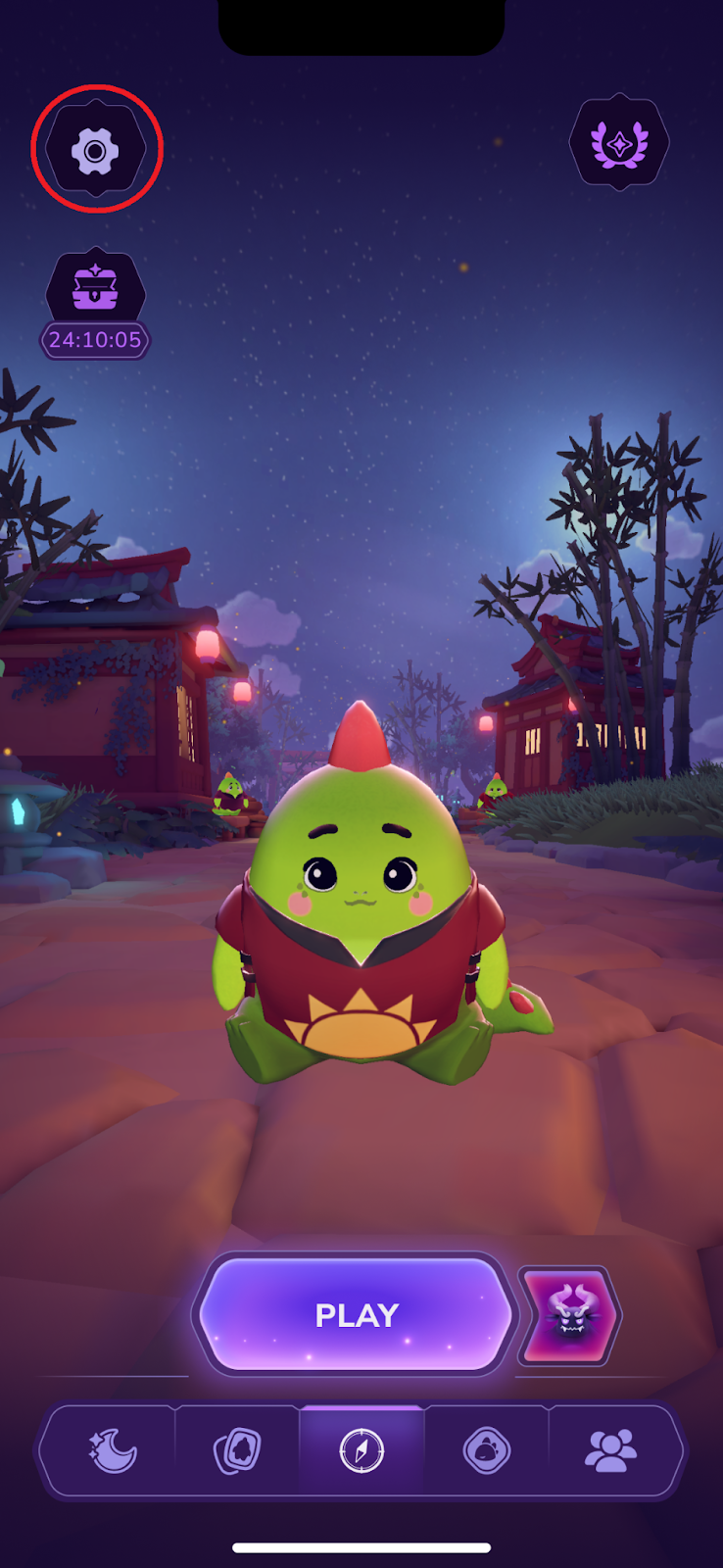
Open app settings via gear icon in the top left corner
Tap on ‘Referral’
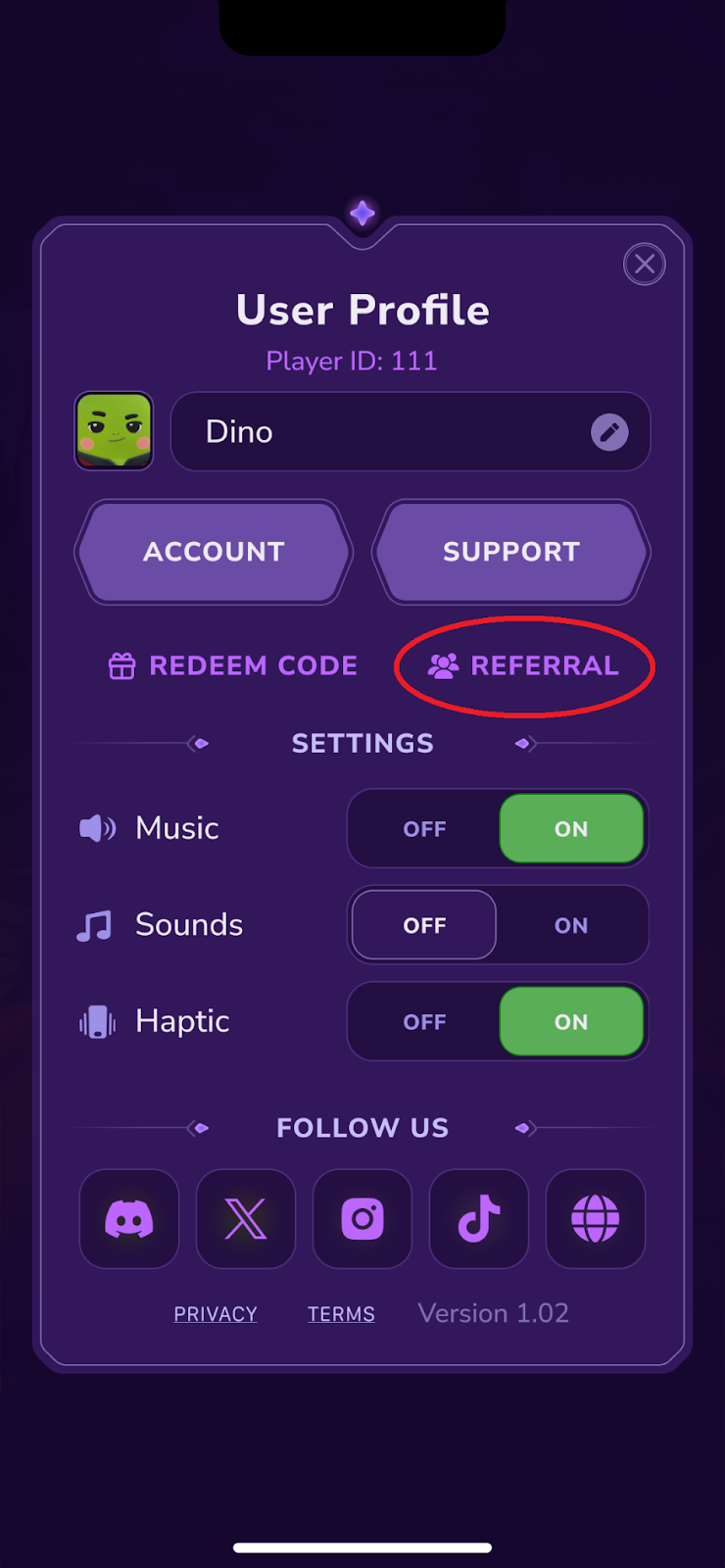
Input your friend’s in-app ID and press ‘Next’

Done! Now you will be listed as your friend’s referral.
Was this article helpful?
That’s Great!
Thank you for your feedback
Sorry! We couldn't be helpful
Thank you for your feedback
Feedback sent
We appreciate your effort and will try to fix the article